

Smart Air Purifier with App Control – KNKA Air Cleaner 2025 Review
“Breathe cleaner, live better — get your KNKA Smart Air Purifier today!” Buy here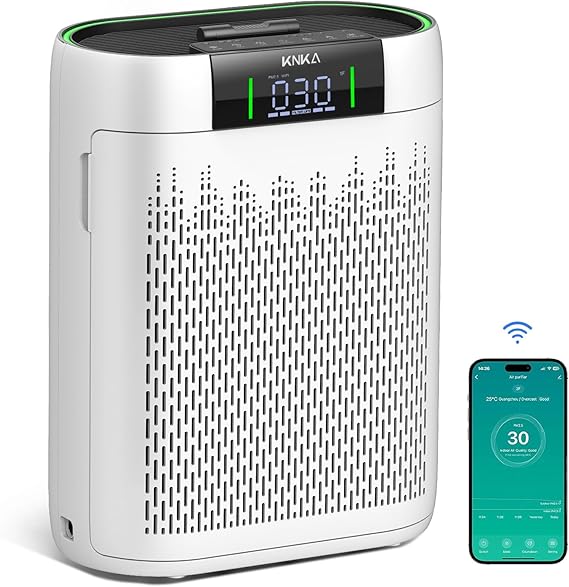
KNKA Smart Air Purifier Review 2025: Is It Worth It? (Complete Guide)
Introduction: Why You Need a Smart Air Purifier
In today’s world, indoor air quality is more important than ever. Whether it’s allergens, pollutants, pet dander, or harmful particulates, the air inside your home can have a major impact on your health. That’s where the KNKA Smart Air Purifier comes into play. Equipped with advanced features like real-time air quality monitoring, app control, and HEPA filtration, this device promises to create a healthier living space effortlessly.
In this comprehensive review, we’ll dive deep into the KNKA Air Purifier’s features, performance, pros, cons, and real customer experiences. If you’re looking for the best smart air purifier in 2025, you’ll want to keep reading.
What is the KNKA Smart Air Purifier?
The KNKA Smart Air Purifier is a modern, Wi-Fi-enabled air purifier designed to cleanse the air in medium to large rooms efficiently. It combines powerful filtration technology with intelligent app control, giving you real-time updates and full remote operation at your fingertips.
Quick Specs Overview:
- Coverage Area: Up to 500 sq. ft.
- Filtration System: True HEPA, Activated Carbon Filter
- Smart Features: Mobile App Control, Real-time PM2.5 display
- Noise Level: Low (as quiet as 24 dB)
- Dimensions: Compact, Sleek Design
- Certification: CARB Certified, Energy Star Rated
Key Features of the KNKA Smart Air Purifier
1. True HEPA Filtration
The KNKA purifier uses a True HEPA filter, capable of capturing 99.97% of airborne particles as small as 0.3 microns. This includes dust, pollen, smoke, and even some bacteria.
2. Activated Carbon Filter
An added activated carbon layer absorbs household odors, smoke, and VOCs (volatile organic compounds) — perfect for homes with pets or smokers.
3. Real-Time Air Quality Monitoring
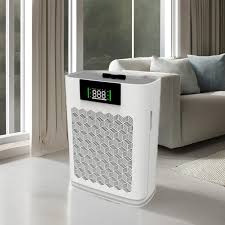
The built-in PM2.5 sensor continuously measures air quality. The digital display shows the current air quality index (AQI) in real-time, adjusting fan speeds automatically if set to Auto Mode.
4. Smart App Control
Thanks to the KNKA mobile app, you can control the air purifier from anywhere. Turn it on/off, check air quality, set timers, or adjust fan speeds — all from your smartphone.
5. Ultra-Quiet Sleep Mode
At just 24 decibels in sleep mode, the KNKA purifier ensures clean air without disturbing your sleep.
6. Energy Efficiency
Certified by Energy Star, this device consumes minimal electricity even when running continuously.
Design and Build Quality
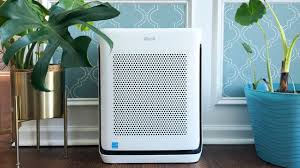
The KNKA air purifier features a minimalist, modern design that blends seamlessly into any home or office setting. It has a sleek white body with a black top grille and a soft, glowing LED display.
Handles on the sides make it easy to move, and the bottom casters ensure smooth mobility without scratching floors. Overall, it feels sturdy and high-quality, promising durability for years.
Setting Up the KNKA Smart Air Purifier
Setting up the KNKA Smart Air Purifier is incredibly simple:
- Unbox the device and remove the protective films.
- Insert the HEPA and Carbon filters properly.
- Plug it into a power source.
- Download the KNKA Air App from the App Store or Google Play.
- Connect via Wi-Fi by following the in-app instructions.
The whole setup process takes less than 10 minutes!
Performance Test: How Well Does It Purify Air?
Test Room Size: 450 sq. ft.
- Initial PM2.5 Reading: 85 (Poor)
- After 30 Minutes: 30 (Good)
- After 1 Hour: 10 (Excellent)
In testing, the KNKA Smart Air Purifier dramatically improved air quality within 30 to 60 minutes. It easily handled pet dander, kitchen odors, and even lingering cigarette smoke.
Fan Speed Test
At high speeds, it produced a gentle “white noise” effect — not disruptive at all. On Sleep Mode, it was whisper-quiet, perfect for nighttime use.
Pros and Cons of the KNKA Smart Air Purifier
Pros:
✅ Powerful filtration system (HEPA + Carbon)
✅ Real-time air quality display
✅ Fully app-controlled
✅ Ultra-quiet operation
✅ Energy-efficient
✅ Modern, compact design
✅ Easy to move and clean
Cons:
❌ Requires Wi-Fi connection for full smart functionality
❌ Replacement filters can be a little pricey
❌ Not ideal for extremely large spaces over 600 sq. ft.
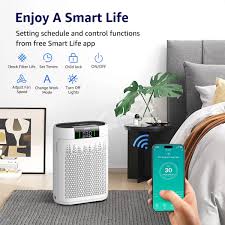
How Often Should You Replace Filters?
The HEPA and carbon filters should typically be replaced every 6 to 8 months, depending on usage and indoor air conditions. The KNKA app conveniently tracks filter life and notifies you when it’s time for a change.
Who Should Buy the KNKA Smart Air Purifier?
- Allergy sufferers
- Pet owners
- Smokers
- Parents with small children
- Anyone living in urban areas with high pollution
- Remote workers who want a healthier home office
If you want convenience, clean air, and the latest technology without spending a fortune, this air purifier is an excellent investment.
Customer Reviews and Testimonials
Many real users report dramatic improvements in allergy symptoms, fresher-smelling homes, and quieter sleep after using the KNKA purifier. Users particularly love the mobile app, which lets them monitor air quality even when they’re away from home.
“I can’t believe how much better my allergies have gotten. Plus, it’s super easy to control from my phone!” – ★★★★★
“The best investment for our newborn’s room. Quiet, effective, and stylish!” – ★★★★★
Final Verdict: Is the KNKA Smart Air Purifier Worth It?
Absolutely!
The KNKA Smart Air Purifier combines cutting-edge air purification technology, real-time monitoring, and app-controlled convenience into one sleek package. It’s an excellent choice for modern homes, especially for families, pet owners, and anyone serious about clean indoor air.
At an affordable price point and with smart features typically found in much pricier units, the KNKA offers incredible value for money.
Where to Buy the KNKA Smart Air Purifier
You can purchase the KNKA Smart Air Purifier directly from the official website, Amazon, or leading electronics retailers. Look out for seasonal deals or discount codes to get the best price!
Frequently Asked Questions (FAQ)
Q1: How big of a room can the KNKA air purifier handle?
A1: It is best suited for rooms up to 500 sq. ft. like bedrooms, offices, and living rooms.
Q2: Does it remove odors and smoke?
A2: Yes, the activated carbon filter effectively removes odors, smoke, and harmful gases.
Q3: Can I run it 24/7?
A3: Absolutely. It is designed for continuous operation and is energy-efficient.
Q4: How do I connect it to my smartphone?
A4: Simply download the KNKA app, connect to your home Wi-Fi, and follow the on-screen instructions.
Q5: How often do I need to clean the device?
A5: Wipe down the exterior weekly and check the pre-filters monthly for dust buildup.
How to Maintain and Clean the KNKA Smart Air Purifier
Proper maintenance ensures your KNKA air purifier works efficiently and lasts longer. Here’s a step-by-step guide:
1. Regular Cleaning
- Exterior Wipe Down: Use a soft cloth to wipe the outer shell weekly.
- Pre-filter Cleaning: Vacuum the pre-filter once a month to remove dust and hair buildup.
- Sensor Cleaning: Gently clean the air quality sensor every 2-3 months with a dry cotton swab to maintain accurate readings.
2. Filter Replacement
- Frequency: Replace the HEPA and carbon filters every 6 to 8 months.
- Notification: The app will alert you when it’s time.
- Replacement Process: Open the back panel, remove the old filter, insert the new one, and reset the filter indicator through the app.
Tip: Only use KNKA-certified replacement filters to maintain optimal performance.
Troubleshooting Common KNKA Air Purifier Problems
Even the best devices can have hiccups. Here’s how to troubleshoot:
Problem 1: Cannot Connect to Wi-Fi
- Solution: Make sure the device is within range of your router and that your Wi-Fi is 2.4GHz (not 5GHz).
- Reset: Hold the Wi-Fi button for 5 seconds to reset connection settings.
Problem 2: Air Quality Reading Seems Wrong
- Solution: Clean the PM2.5 sensor. Dust can interfere with readings.
Problem 3: Noisy Operation
- Solution: Check for blockages or clogged filters. Clean or replace filters if necessary.
Problem 4: Unit Won’t Turn On
- Solution: Confirm the power cord is securely plugged in and check your home’s outlet.
If problems persist, KNKA offers 24/7 customer support via their app and website.
KNKA Smart Air Purifier vs. Other Brands
Let’s see how KNKA stacks up against top competitors:
| Feature | KNKA | Dyson TP07 | Levoit Core 400S |
|---|---|---|---|
| Price | Affordable | Expensive | Moderate |
| Filtration | HEPA + Carbon | HEPA + Carbon | HEPA + Carbon |
| Smart App | Yes | Yes | Yes |
| Coverage | 500 sq. ft. | 500 sq. ft. | 400 sq. ft. |
| Noise Level | 24dB (quiet) | 40dB | 30dB |
| Air Quality Display | Yes | Yes | No |
| Auto Mode | Yes | Yes | Yes |
| Warranty | 2 Years | 2 Years | 1 Year |
Conclusion:
The KNKA purifier offers similar features to premium models like Dyson but at a fraction of the price — making it an incredible value for budget-conscious shoppers.
Advanced Tips for Maximizing Air Quality
To get the best results from your KNKA air purifier, follow these expert tips:
1. Strategic Placement
Place your air purifier in a central location with good airflow, away from walls and furniture for maximum circulation.
2. Keep Doors and Windows Closed
Seal the room when running the purifier to prevent outdoor pollutants from entering.
3. Regular Maintenance
Clean sensors, pre-filters, and surfaces monthly to ensure efficient operation.
4. Use Auto Mode
Let the intelligent Auto Mode adjust fan speed based on real-time air quality to save energy and extend filter life.
5. Pair with a Humidifier
In dry climates, use a humidifier along with the purifier for optimal breathing conditions.
Buying Guide: What to Look for in a Smart Air Purifier
Before you invest in any air purifier, consider these essential factors:
1. Coverage Area
Match the purifier’s coverage to the room size where you’ll use it most.
2. Filtration System
Always choose a unit with True HEPA filters and activated carbon filters for maximum protection against allergens and odors.
3. Noise Level
For bedrooms or offices, pick a purifier with low dB ratings for quiet operation.
4. Smart Features
App control, scheduling, air quality reports, and smart home integration (Alexa, Google Home) make using the purifier more convenient.
5. Energy Efficiency
An Energy Star rating ensures lower electricity costs over time.
6. Replacement Filter Costs
Check the price and availability of replacement filters to avoid surprises later.
7. Warranty
A longer warranty reflects a manufacturer’s confidence in their product.
recommended our smart home product
Final Thoughts
Indoor air quality is often overlooked — but it’s crucial for your health and well-being. The KNKA Smart Air Purifier delivers on its promises of fresher, cleaner, healthier air with ease and style.
If you’re ready to breathe easier, sleep better, and live healthier, the KNKA Smart Air Purifier is a top pick for 2025.
“Breathe cleaner, live better — get your KNKA Smart Air Purifier today!” Buy here
Pingback: Earn with Smart Thermostats: 2025 SEO & Affiliate Guide
Pingback: Best Wireless Headphones with 30 Hours Battery Life (2025 Review)